OpenCRMApp Complete Feature Guide — Every Module, Workflow & Language
Everything in one place: contacts, tickets, calendar, quick actions, inventory, four-step workflow builder, notification inbox, personal reminders, multi-language support (9+ languages including Arabic RTL), and offline detection.
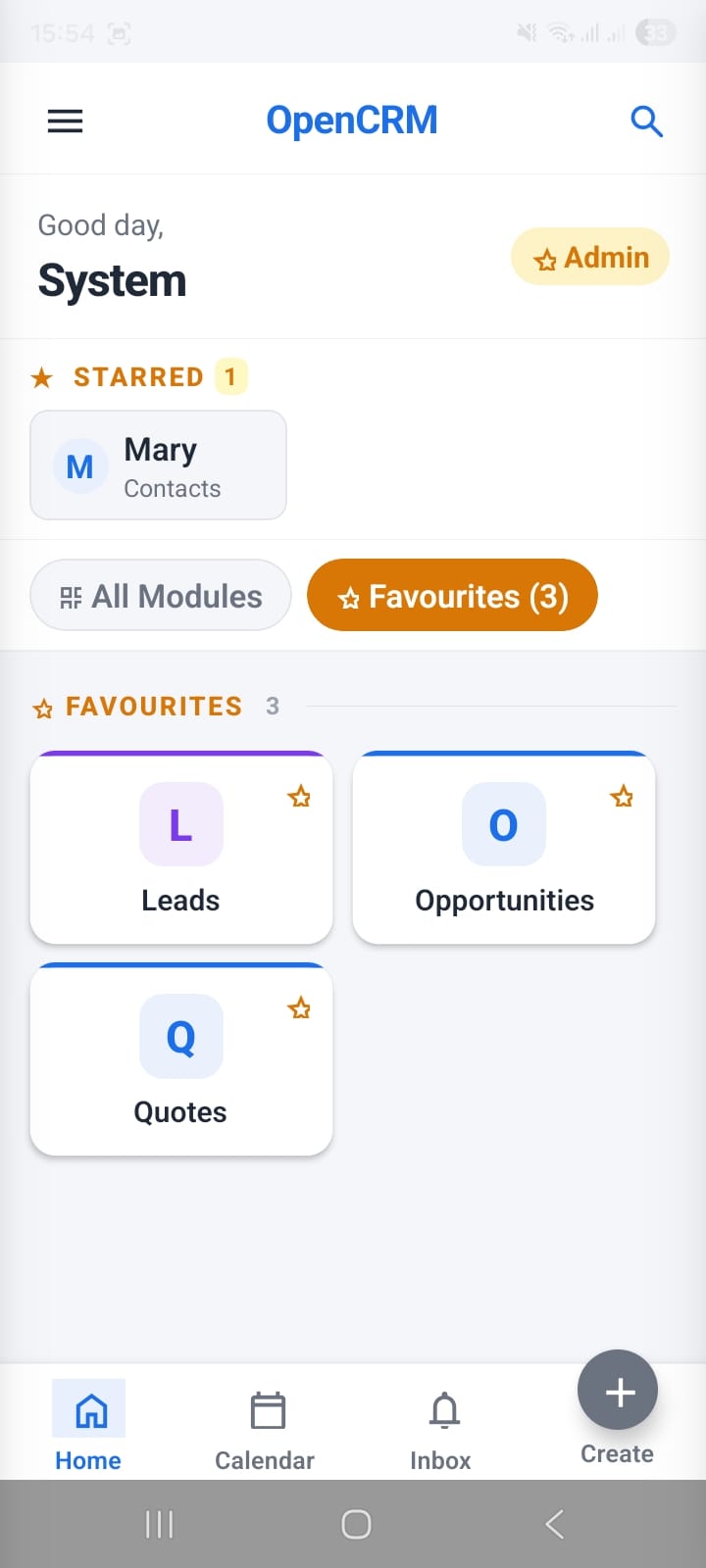
OpenCRMApp Global Features — Search, Quick Create, Notifications & More
The cross-module features available on every screen — global search across 38 modules, starred records and favourite modules on the home screen, Quick Create from anywhere, notification inbox, local workflow manager, 9+ languages, and in-app live chat.
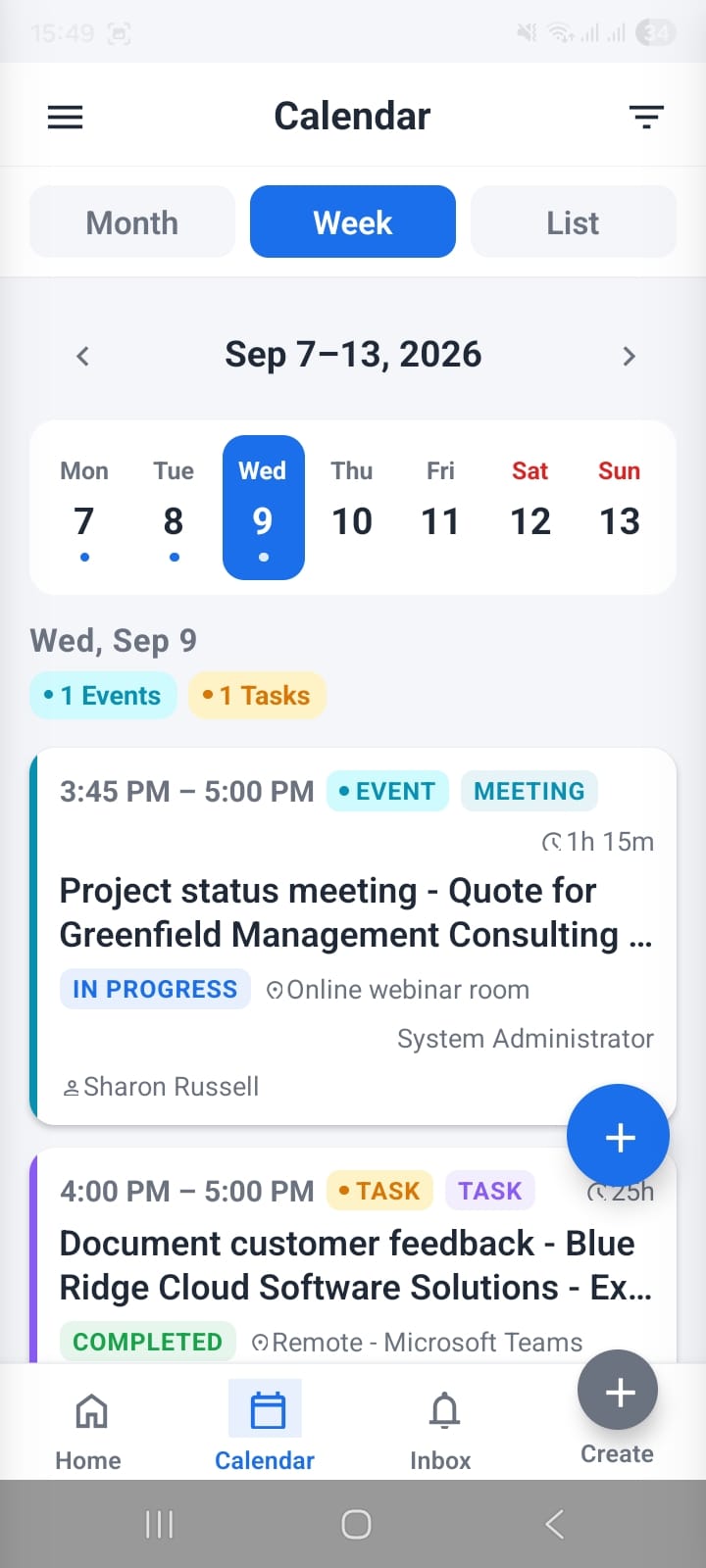
How to Manage Activities & Tasks in OpenCRMApp
Master the Calendar module — Month, Week, and List views showing Events and Tasks together, advanced filters by source/status/type, quick event creation with a required-field counter, and inline status updates from the detail view.
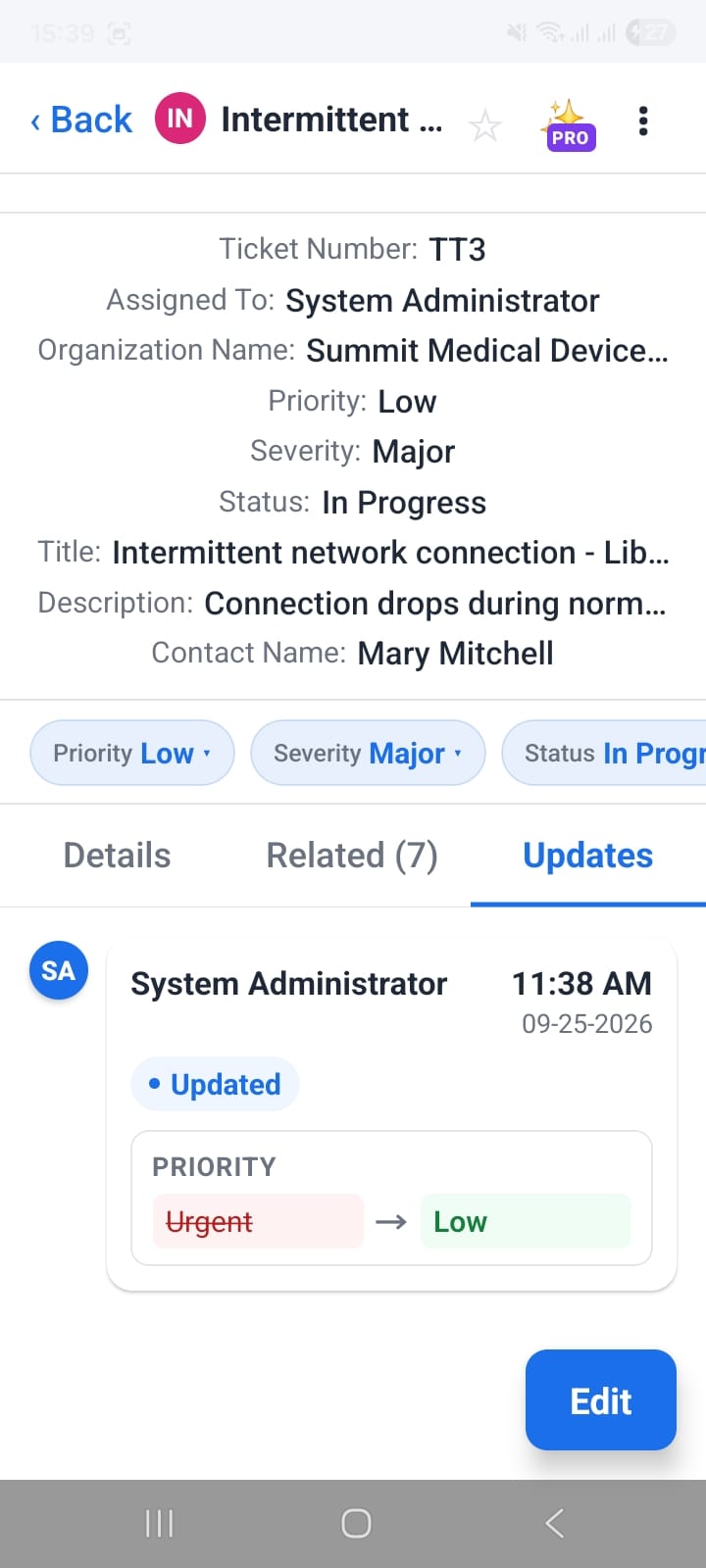
How to Manage Support Tickets in OpenCRMApp
Filter your support queue with saved views, preview tickets without leaving the list, update Priority and Status in one tap, and track every change in a full audit log with before → after values.
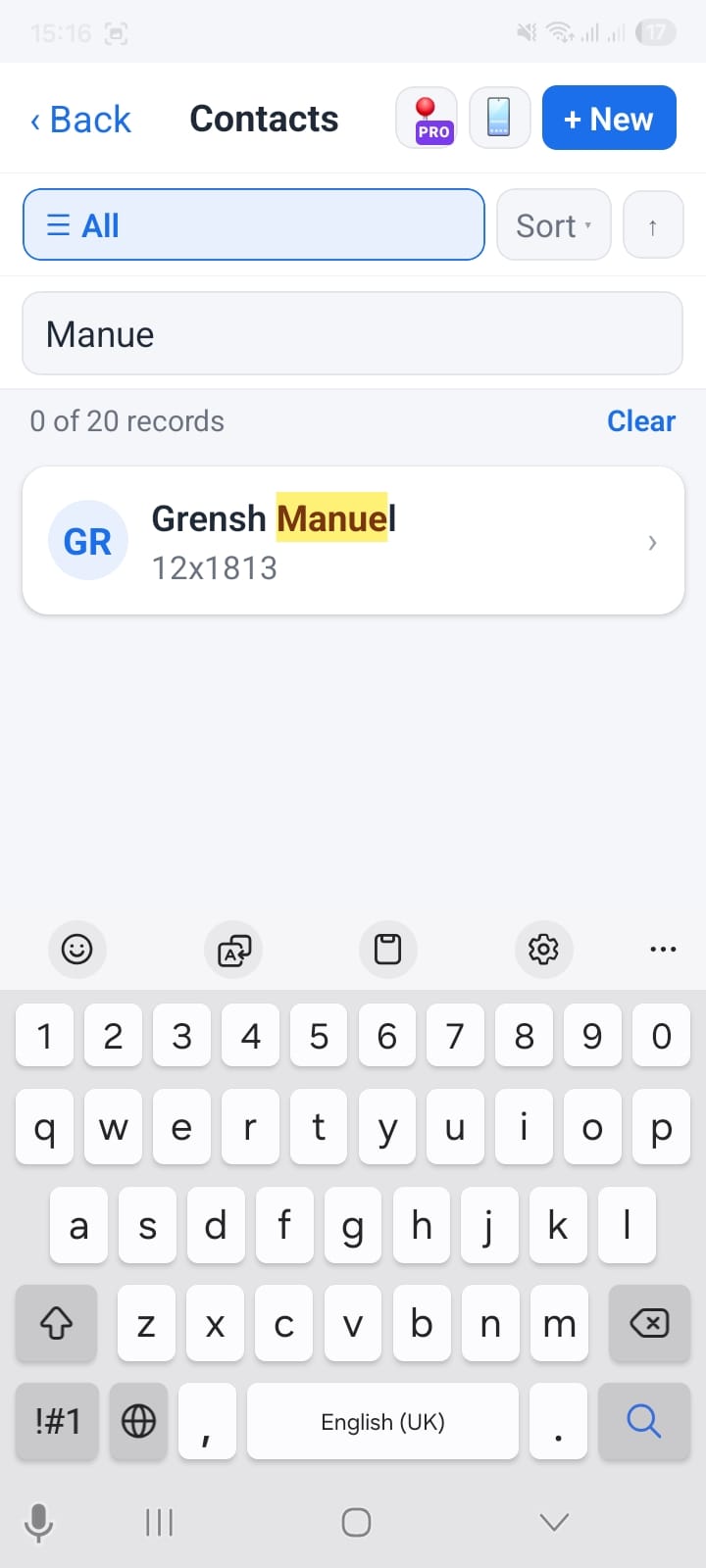
How to Manage Contacts in OpenCRMApp — Search, Edit, Import & More
A complete guide to the Contacts module — saved list views, real-time search with keyword highlighting, inline editing with address autocomplete, bulk import from your phone, and 18 related modules in one tap.
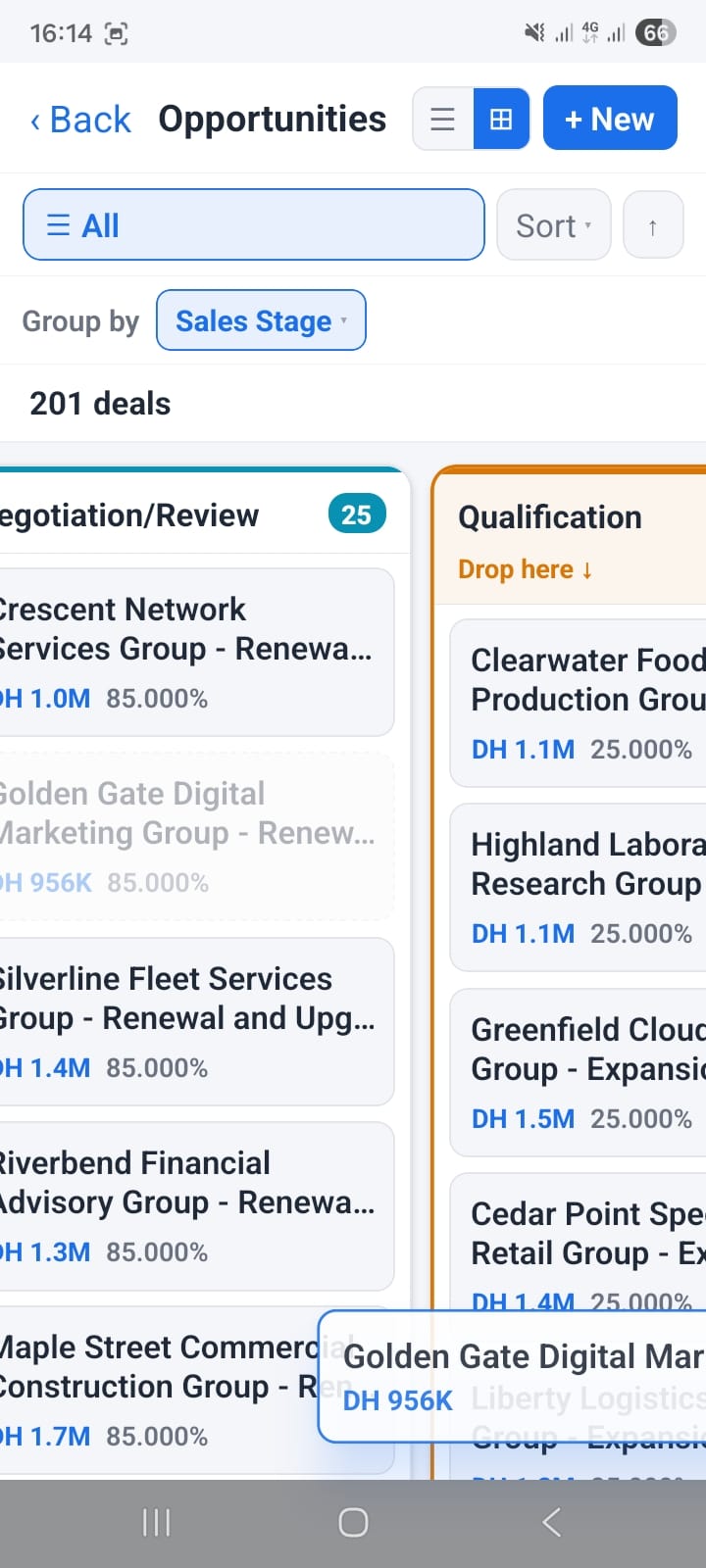
How to Manage Deals with Kanban View in OpenCRMApp
Learn how to use the Kanban board to visualize your deal pipeline by sales stage or any picklist field — and take action directly from your phone.
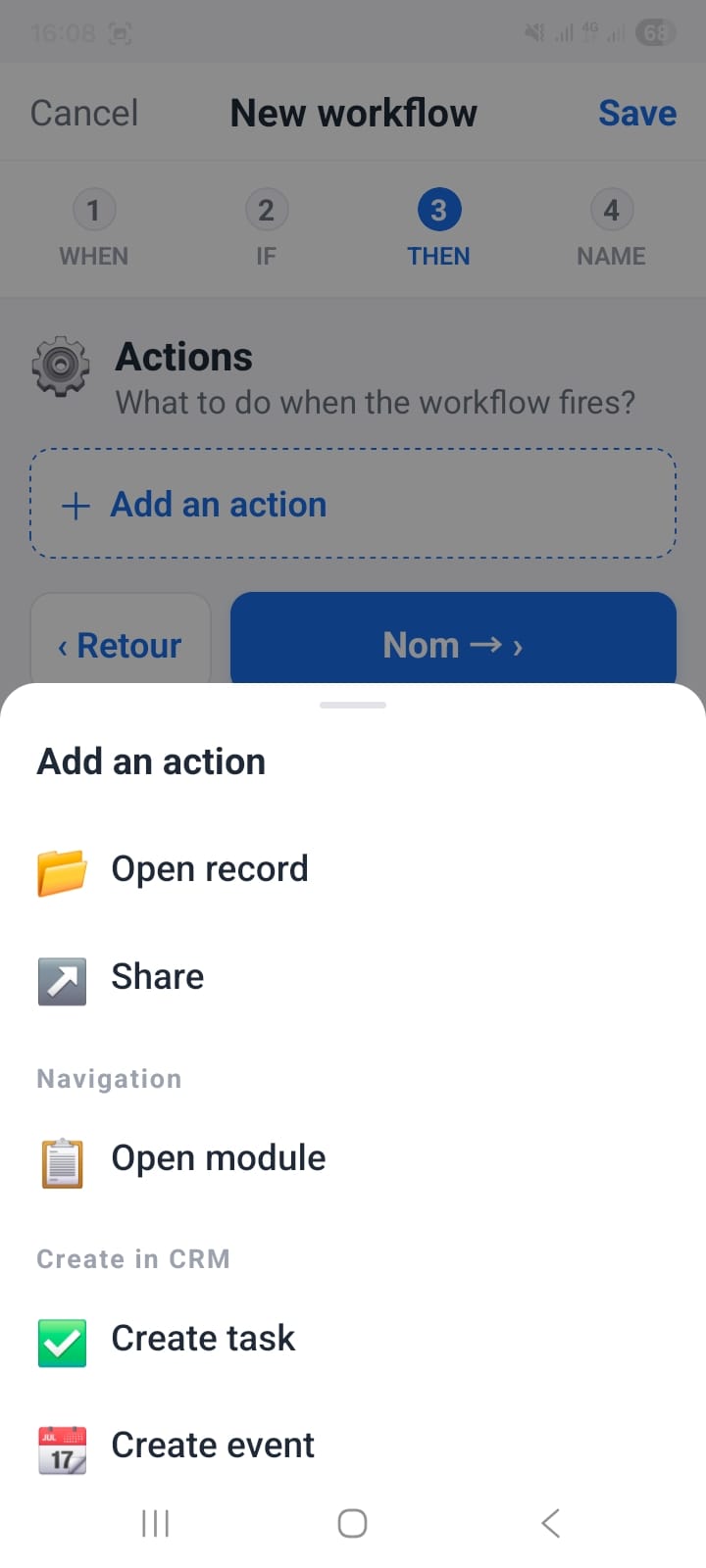
How to Set Up Smart Notifications for Your CRM Workflows
A step-by-step guide to configuring notification workflows — triggers, conditions, custom message bodies with field placeholders, and action buttons.