Vtiger 6, 7 & 8 · Android · Google Play

Your Vtiger CRM.
Without Constantly Checking It.

Get personalized mobile notifications for the CRM events that matter to you — follow-ups, activities, leads, quotes, tickets and more.
AC
MB
PS
SK
RP
50+ vtiger CRM users worldwide
📋
vtiger CRM Data source
✓
Action taken From notification
⚡
Rule matched Auto-triggered
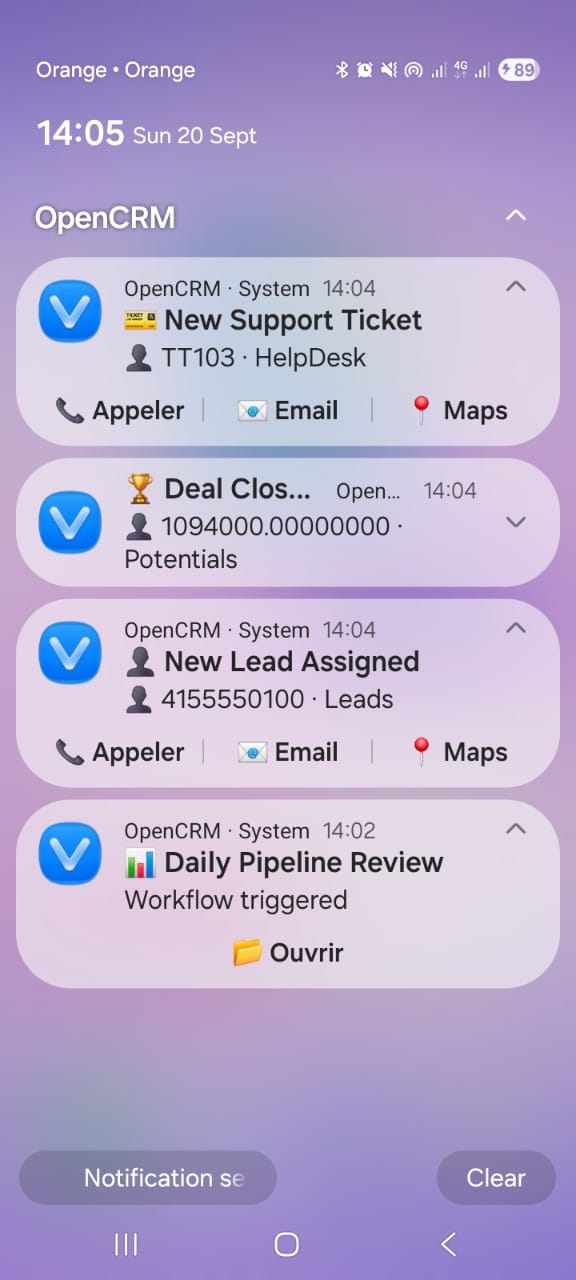
OpenCRMApp — Notification inbox showing CRM reminders for leads, visits, and tickets
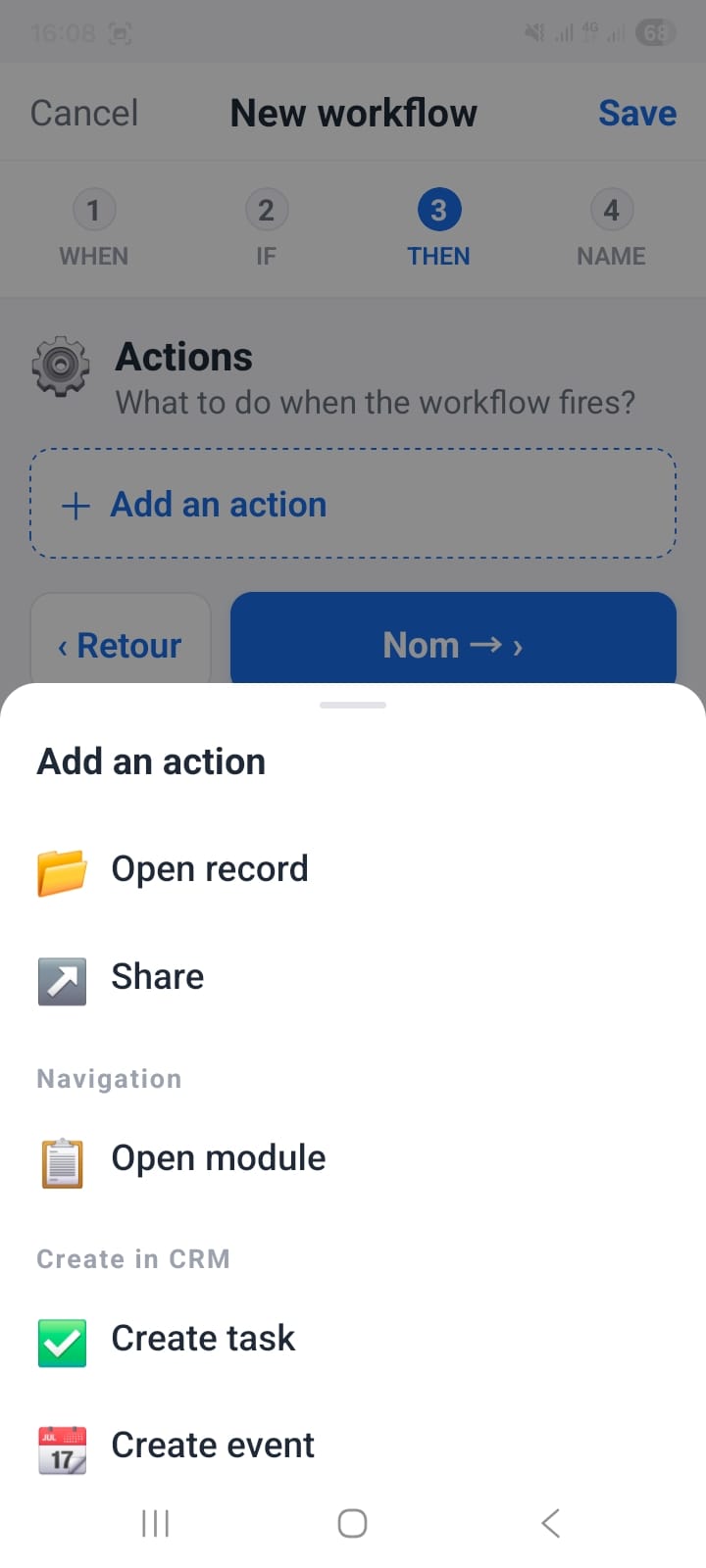
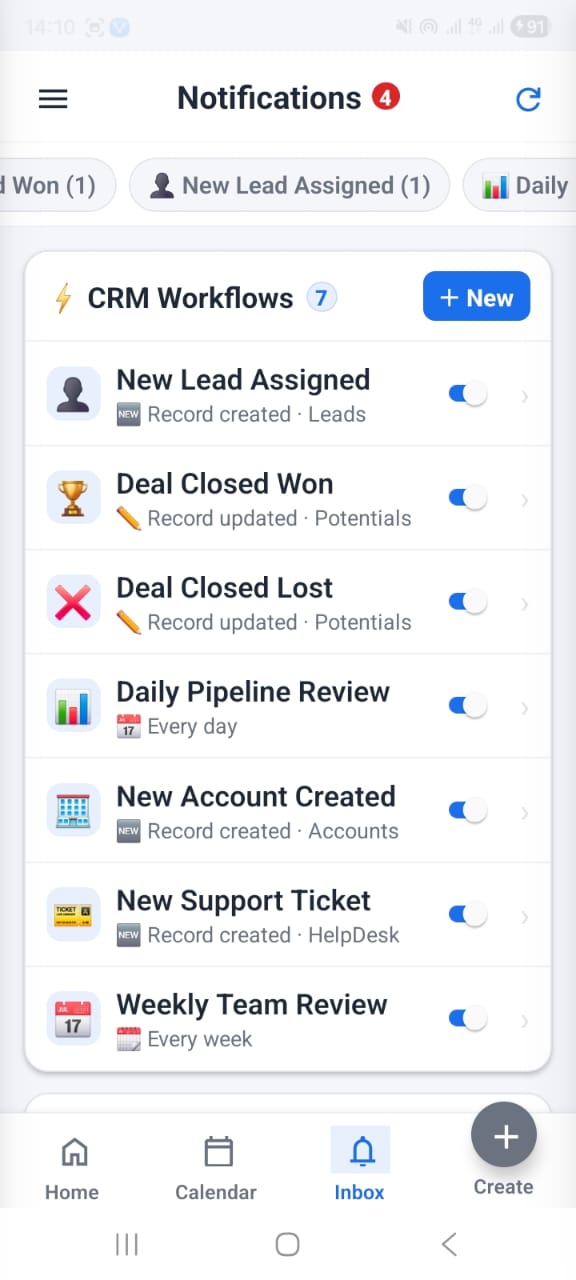
OpenCRMApp — Notification workflow dashboard
vtiger 6, 7 & 8
Full API support
50+
vtiger CRM users
iOS + Android
Native apps
Zero setup
No configuration needed
100%
Your server · Your data
How It Works

From CRM Data to Action

OpenCRMApp connects to your vtiger CRM, watches the data that matters to you, and tells your team exactly what needs attention — and lets them act instantly.

📋
Step 1

CRM

OpenCRMApp watches your vtiger CRM data — leads, contacts, deals, visits, tickets, and quotes.

→
⚙️
Step 2

Workflow

You define what matters to you — no complicated CRM configuration required.

→
🔔
Step 3

Notification

OpenCRMApp reminds you at the right moment with a push notification on your phone.

→
⚡
Step 4

Action

Open the CRM record, call the customer, navigate to their location, or acknowledge the reminder.

CRM Record → Rule → 🔔 Notification → Open Record / Map / Call
Personalized for you

Your CRM. Your Rules.
Your Notifications.

Every CRM user works differently. OpenCRMApp allows each user to choose what they want to be notified about and when.

🔔
OpenCRMApp
just now
Lead needs attention
John Smith hasn't been contacted for 7 days.
Open Lead
📞 Call
📍
OpenCRMApp
now
Customer visit in 30 minutes
ACME Corporation — Today at 14:00
Open Record
🗺 Open Map
📄
OpenCRMApp
5m ago
Quote Approved
Quote #QUO-1042 has been approved. Ready to convert.
Open Quote
🎫
OpenCRMApp
12m ago
Ticket requires attention
Ticket #458 is approaching its SLA deadline.
Open Ticket
⚠️
OpenCRMApp
3m ago
SLA Reminder
A customer ticket is approaching its deadline.
View Ticket
🔄
OpenCRMApp
1h ago
Follow-up Reminder
It's time to follow up after your customer activity.
Open Customer

"You define what matters. OpenCRMApp reminds you when it matters."

Workflow Builder

You Decide
What Matters

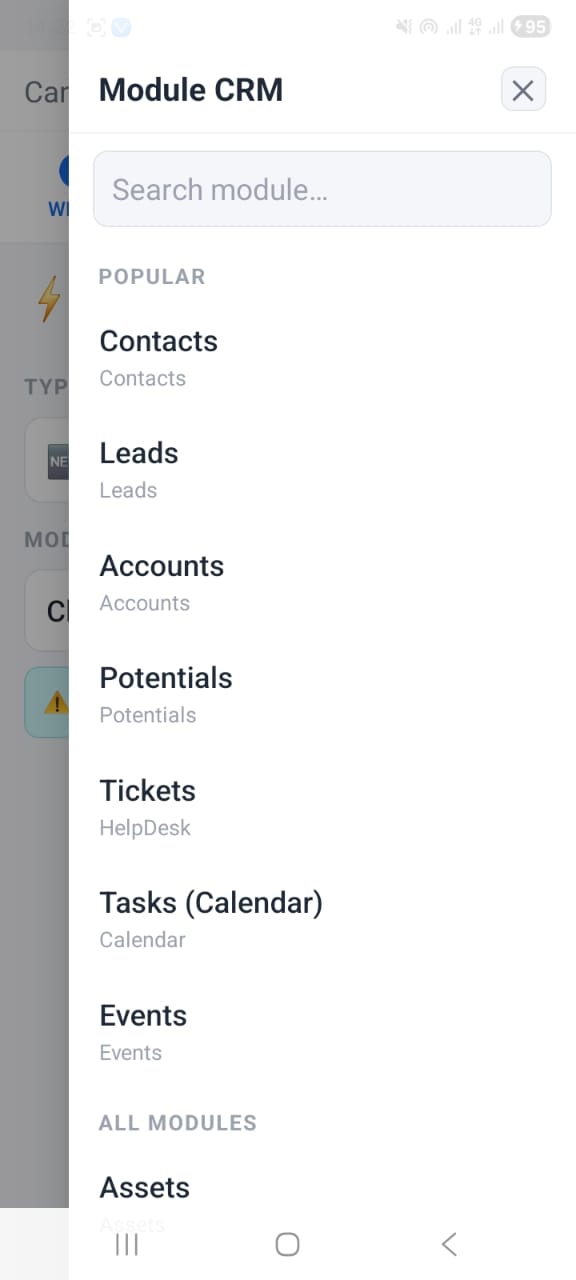
Create your own reminder rules without needing complicated CRM configuration. Define exactly when OpenCRMApp should notify you — and about what.

Any vtiger moduleLeads, Contacts, Deals, Tickets, Events, Quotes and all custom modules.
Personal rules per userEach team member sets their own rules. Sales reps, managers and support agents get different reminders.
Action buttons in the notificationDefine which actions appear — Open Record, Call, Open Map, Acknowledge.
Set Up Your Rules →
WHEN
Module
Leads
IF
Last Contact
More than
7
days ago
THEN
Send
🔔 Mobile notification
MESSAGE
"Don't forget to follow up with ${firstname}"
ACTIONS
📋 Open Lead
📞 Call

↑ Example rule — no CRM configuration needed

AI Assistant Coming Soon

Just Tell OpenCRMApp
What You Need

Soon you will be able to describe your reminder in plain language. OpenCRMApp will automatically create the workflow rule — no manual configuration required.

Natural language inputType what you want in plain language. No forms, no dropdowns.
Instant rule creationOpenCRMApp converts your request into a complete workflow — ready immediately.
🤖
OpenCRMApp Assistant What would you like to be reminded about?
Remind me 30 minutes before every customer visit.
✓ Reminder created
📅 Customer Visit 30 minutes before · Assigned to me · With Open Map action
Tell me when one of my leads hasn't been contacted for 10 days.
✓ Reminder created
⚠️ Lead Follow-Up When Last Contact > 10 days · Assigned to me · With Call action
One-Tap Actions

Don't Just Get Notified.
Take Action.

Notifications lead directly to useful CRM actions. No need to open the app, search for the record, or look up the phone number.

📋

Open Record

Open the relevant Lead, Contact, Deal, Quote, Ticket, or Event directly from the notification.

📍

Open Map

Navigate directly to the customer's location — one tap from the notification.

📞

Call

Call the customer immediately without searching for their phone number.

✓

Acknowledge

Mark the reminder as handled so your team always knows what's been actioned.

🔔 Notification → Context → Action
Real App Screenshots

See OpenCRMApp in Action

Real screens from the app — what your team will actually use every day.
OpenCRMApp — Notification inbox listing active CRM reminders
Notification Inbox
All your CRM reminders in one place
OpenCRMApp — Notification workflow dashboard showing active rules
Workflow Dashboard
All your notification rules at a glance
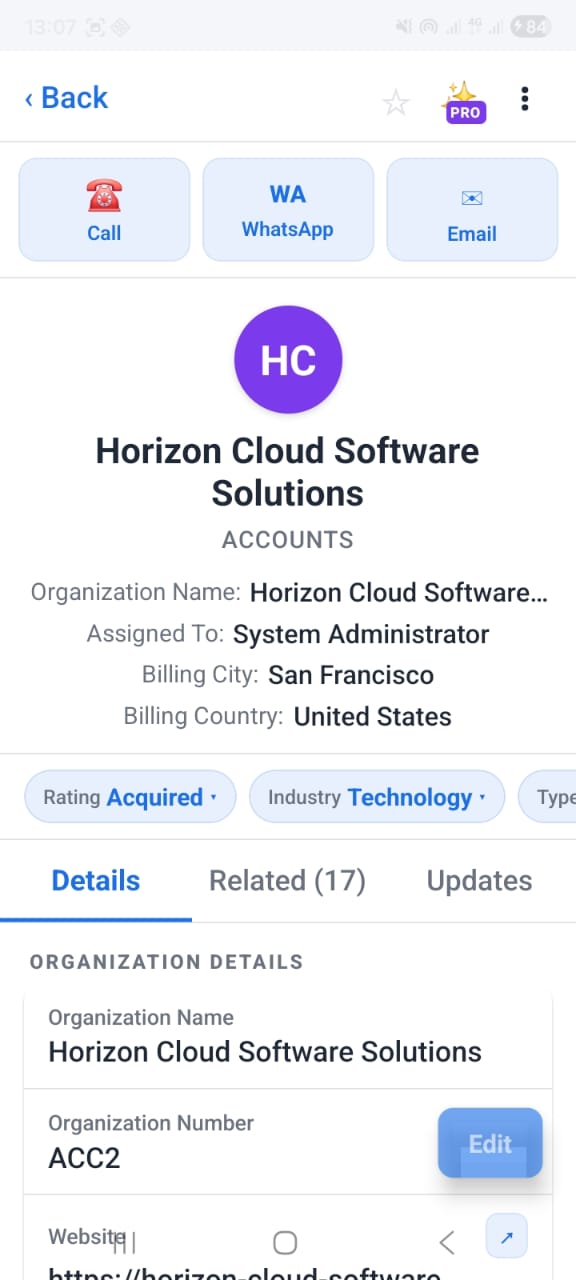
OpenCRMApp — Full CRM record detail view
Record Detail
Full CRM record opened from a notification
OpenCRMApp — Local workflow notification rule builder
Workflow Builder
Create your own notification rules
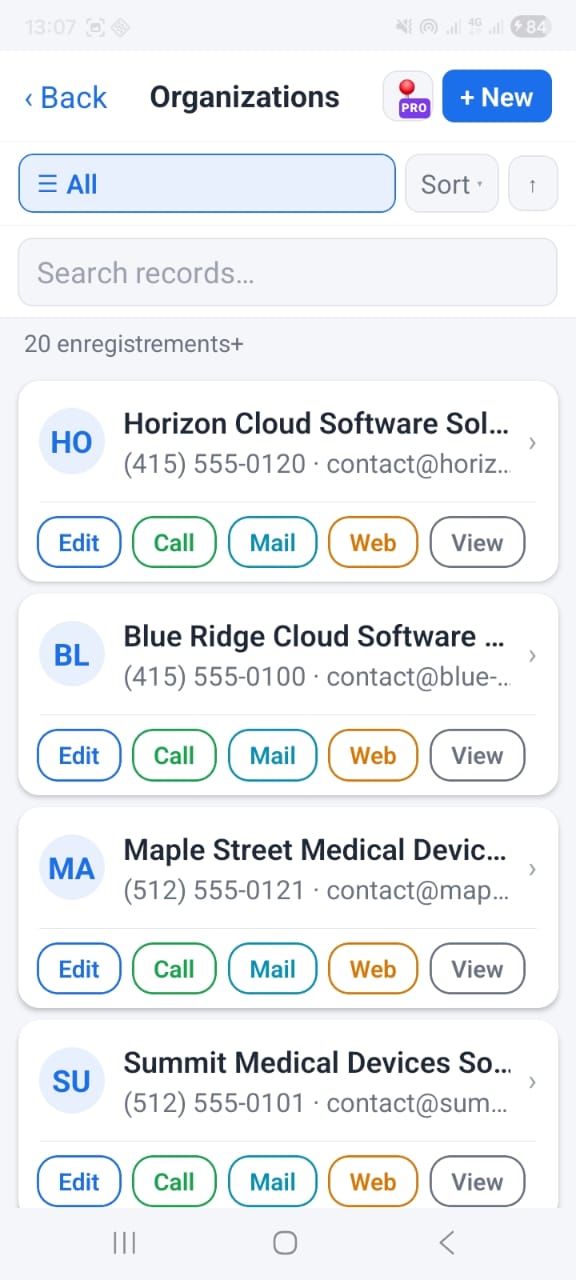
OpenCRMApp — List of CRM records for a module
Module Records
Browse leads, contacts, deals, and more
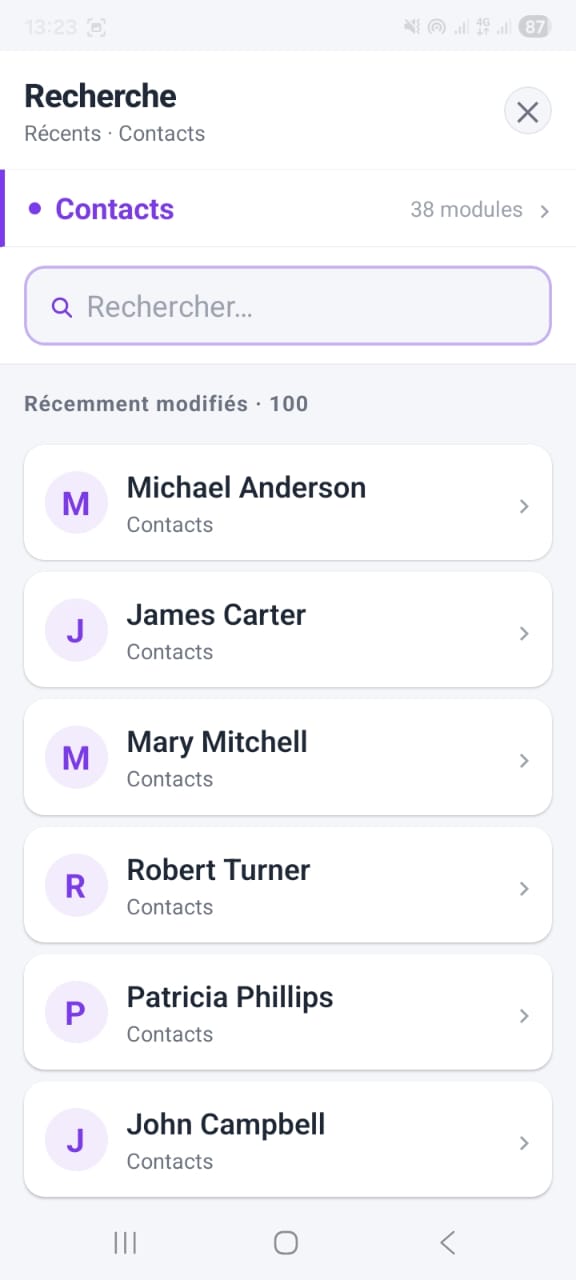
OpenCRMApp — Global search across all CRM modules
Global Search
Find any CRM record instantly

Swipe to see more screens →

Get OpenCRMApp →
vtiger CRM Access

Your vtiger CRM Is Still
in Your Pocket

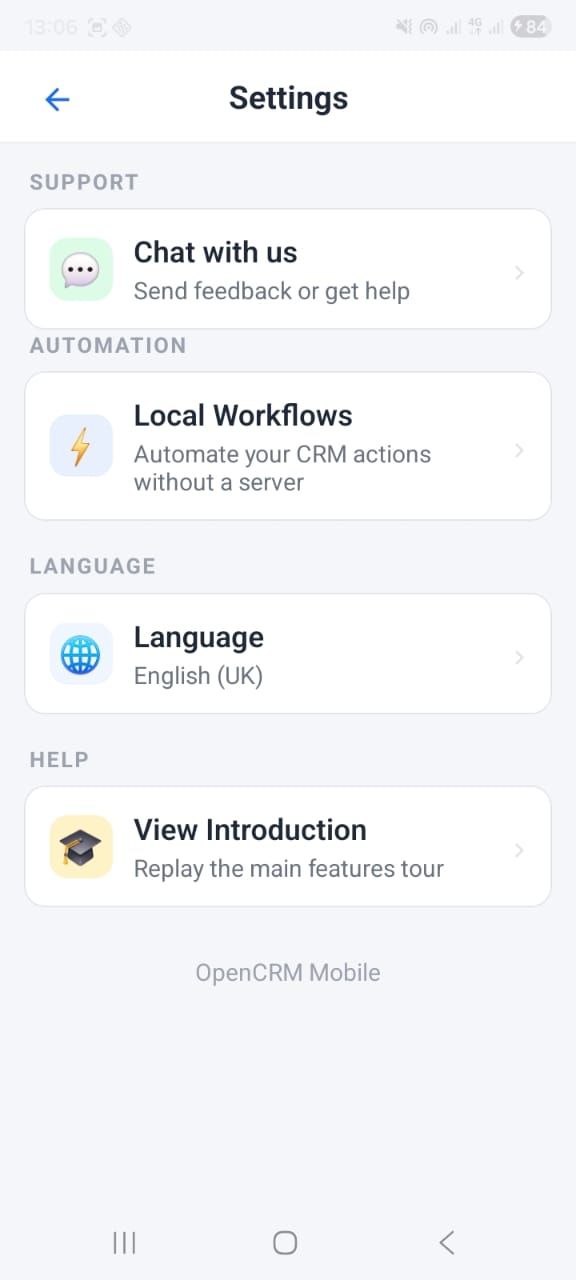
OpenCRMApp also provides full access to all essential vtiger CRM modules — wherever you are.

🧲
Leads
👥
Contacts
🏢
Organizations
💼
Deals
📅
Calendar
📄
Quotes
📦
Sales Orders
🎫
Tickets
📦
Products
📊
Projects
🔍
Global Search

All custom modules from vtiger Module Builder — auto-discovered on connect

App Screenshots

Everything runs inside your vtiger CRM

Leads, contacts, organizations, opportunities, quotes, tickets — all accessible with the full field set from your vtiger installation. Records open instantly from notifications.
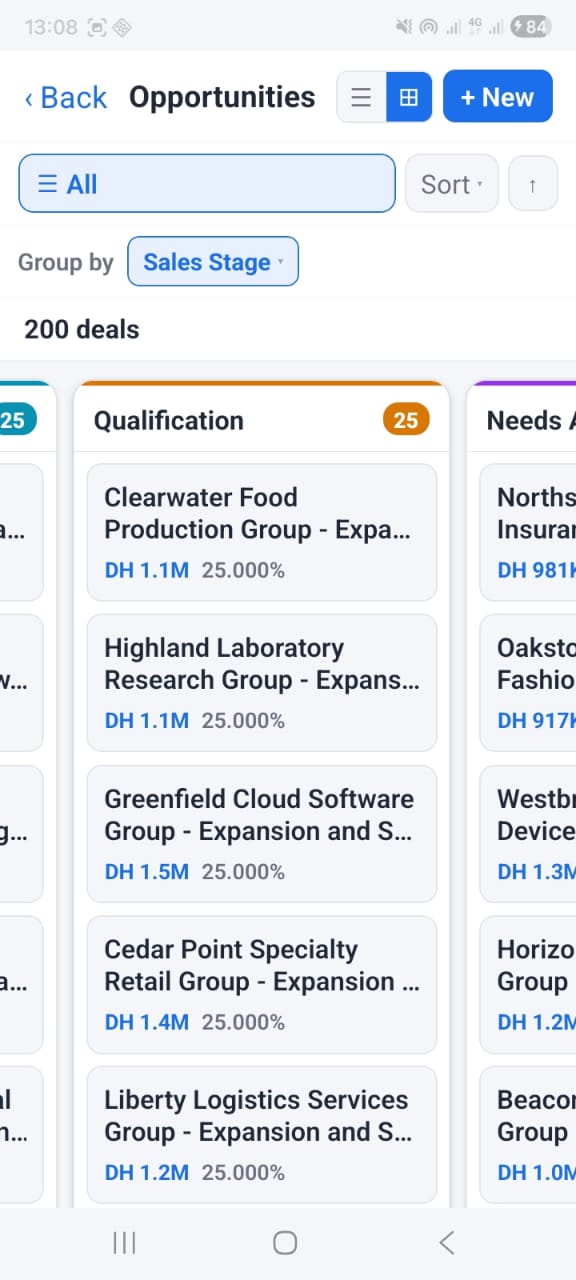
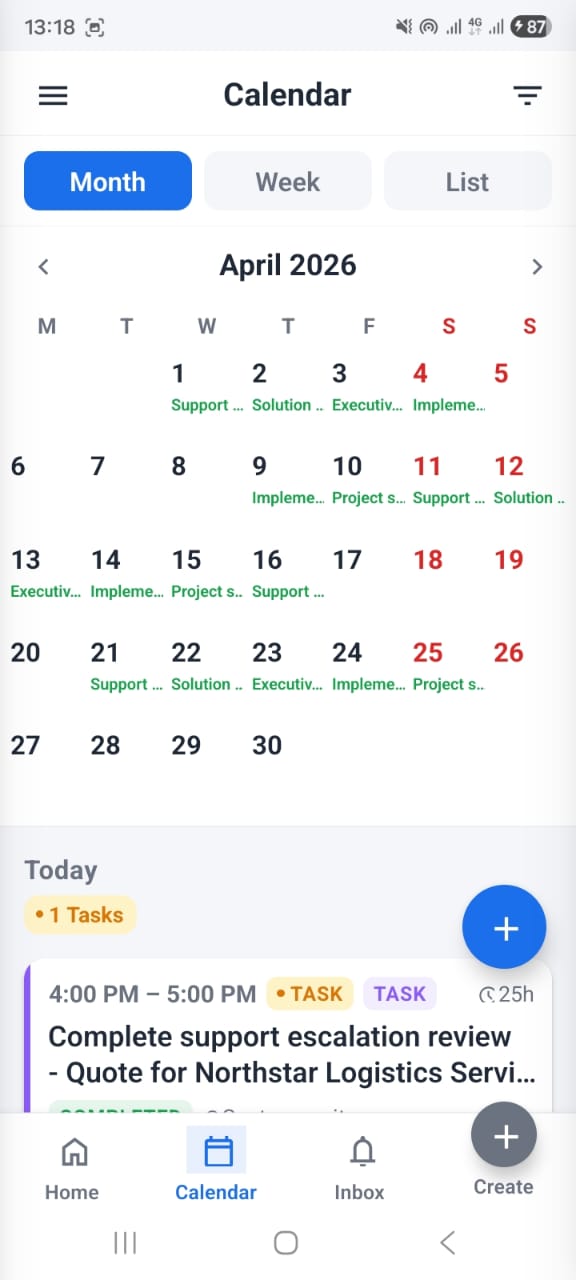
Kanban view for deals and leads
Calendar with month and week views
Quick create records from any screen
Advanced search and filters
OpenCRMApp — Kanban board view for CRM records
OpenCRMApp — Month calendar view with CRM activities
OpenCRMApp — Quick create record form

Swipe to see more →

Getting Started

How It Works

Five simple steps from connecting your vtiger CRM to receiving your first proactive reminder.

1

Connect vtiger

Connect OpenCRMApp to your vtiger CRM Open Source installation (versions 6, 7 & 8). Enter your server URL, vtiger username and password — no API key, no configuration, no middleman. Direct device-to-server. Your data never leaves your infrastructure.

2

Choose What Matters

Create personal notification and reminder rules. Tell OpenCRMApp which vtiger modules to watch, what conditions to look for, and what actions you want to take from the notification.

3

OpenCRMApp Watches Your CRM

Relevant CRM information is continuously evaluated against your rules. OpenCRMApp monitors your leads, visits, deals, tickets, and quotes in real time.

4

Get Notified

Receive a mobile push notification the moment something requires attention — on iOS or Android, at exactly the right time.

5

Take Action

Open the CRM record, call the customer, open Maps, or acknowledge the reminder — all directly from the notification, without opening the app.

For Every Role

Who Uses OpenCRMApp

Every CRM user has different priorities. OpenCRMApp lets each person define what they need to be notified about.

Sales Representative
Stay on top of every lead
"Remind me about leads I haven't contacted for 7 days."
Sales Manager
Never miss a win
"Notify me when an important deal becomes Closed Won."
Field Sales
Arrive prepared, on time
"Remind me 30 minutes before my customer visits and let me open the address in Maps."
Support Agent
Never breach SLA again
"Notify me when a ticket assigned to me is approaching its SLA deadline."
Account Manager
Keep every account active
"Remind me when a customer hasn't had activity for 30 days."
✏️
Your rule
Define exactly what matters to you
Learn

Articles

Practical guides on using OpenCRMApp features — Kanban boards, notification workflows, and more.
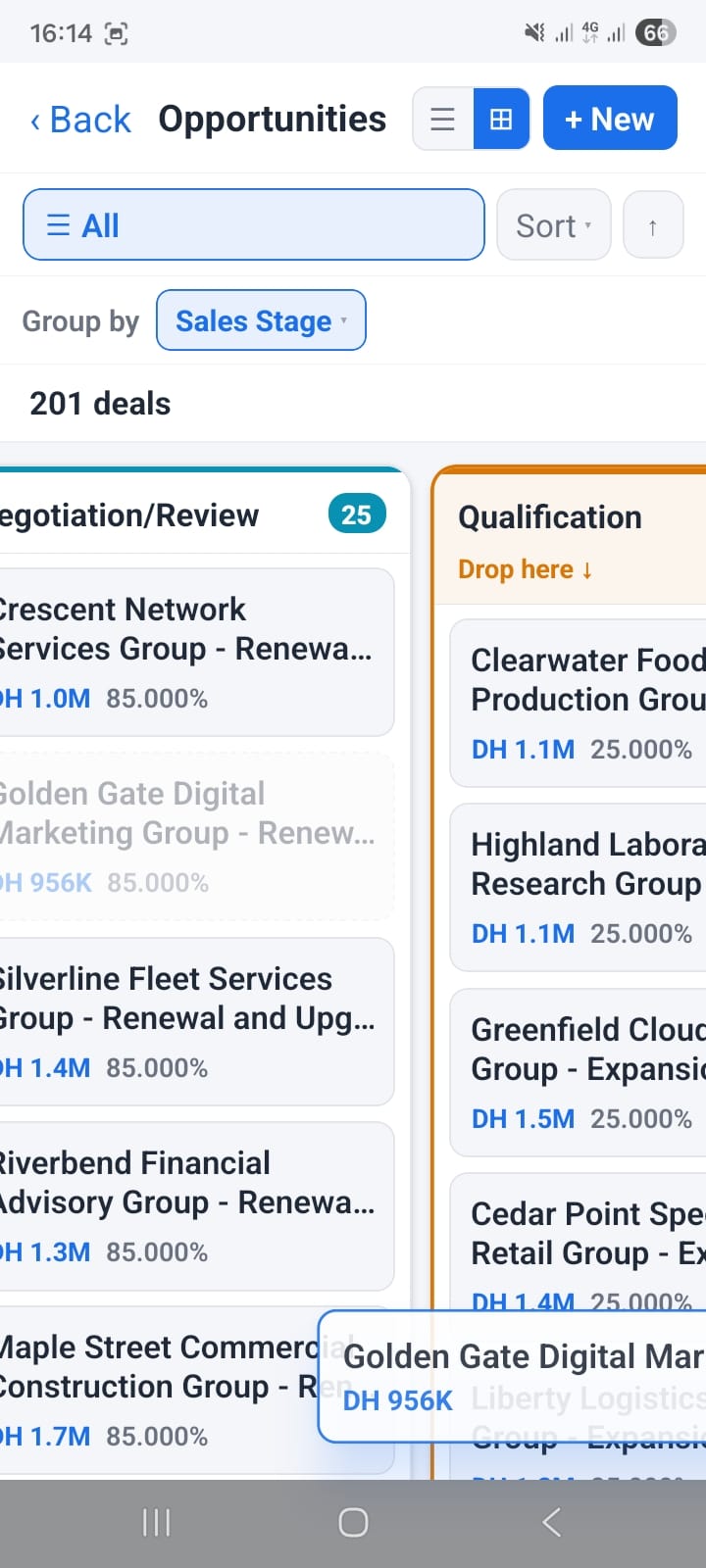
View All Articles →
Ready to get started?

Stop Checking Vtiger.
Let Vtiger Tell You.

Take your CRM with you and stay closer to the activities, customers and follow-ups that matter.

✅ Android · Google Play ✅ vtiger 6, 7 & 8 ✅ Proactive notifications ✅ Self-hosted ✅ Zero setup required